PEOPLE
Minimum requirement
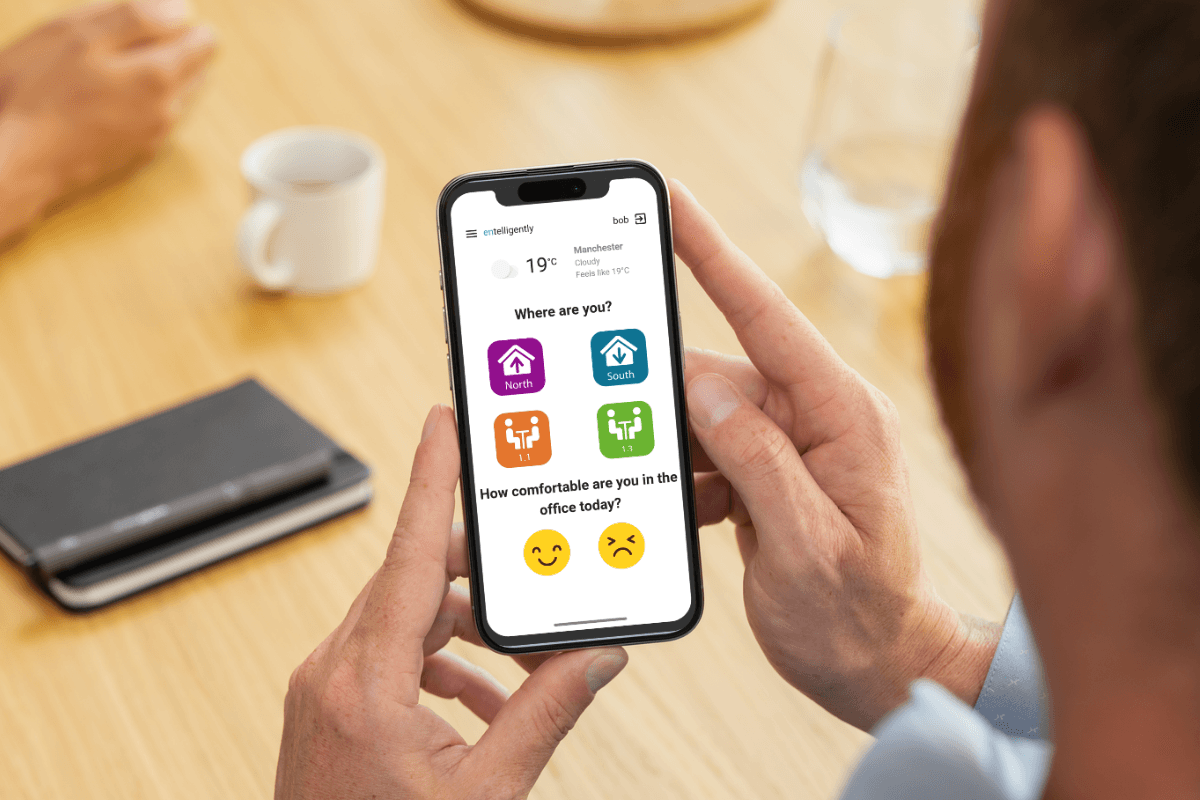
People can use a phone, tablet or browser interface to report whether they are comfortable and, where appropriate, provide further context.

HOW IT WORKS
Entelligently can start with very little infrastructure and become progressively more capable as additional data and systems are connected.
At its simplest, people provide comfort feedback. Add environmental sensing, existing building systems and spatial context, and Entelligently gains a much richer understanding of what is happening across the building.
DEPLOYMENT
PEOPLE
People can use a phone, tablet or browser interface to report whether they are comfortable and, where appropriate, provide further context.
LOCATION
Feedback can be associated with a room, zone or area. This may initially be as simple as choosing a room or area from a list.
ENVIRONMENTAL DATA
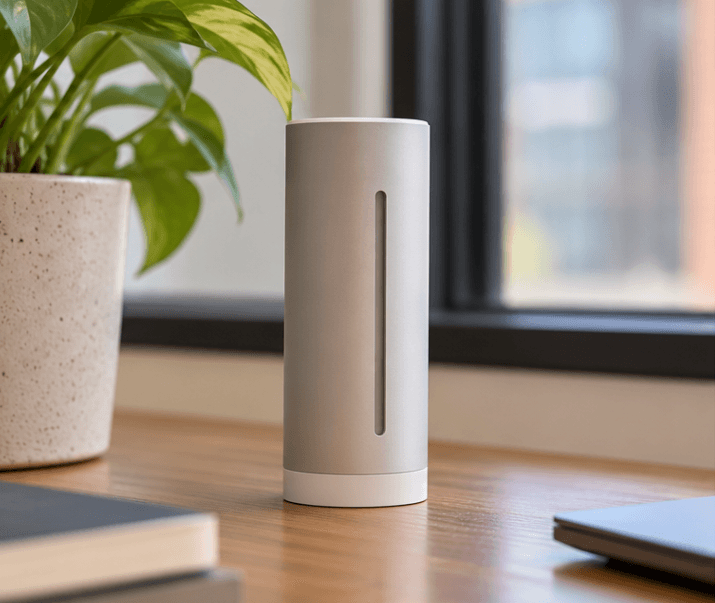
Temperature, humidity, CO₂ and other available sensor data provide context around the conditions experienced by the person.
BUILDING INFORMATION
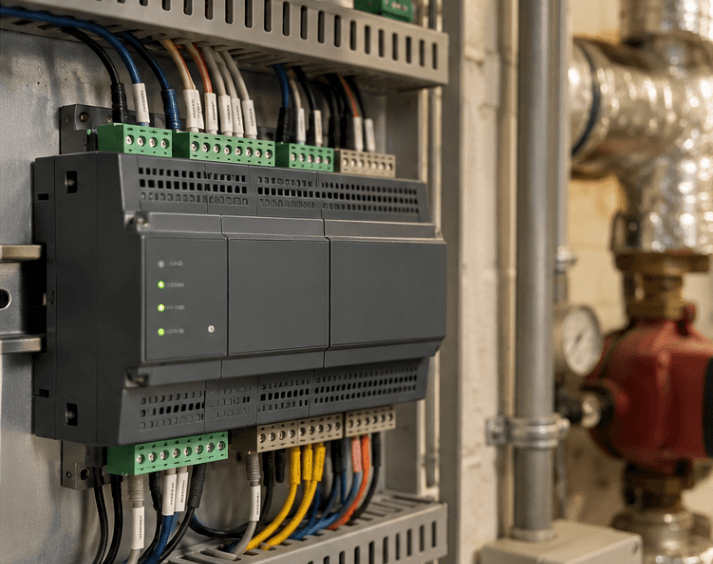
Existing BMS, HVAC, metering, occupancy or other operational data helps relate building systems and environmental conditions to people's experience.
You do not need all four before you can begin.
These are progressive capabilities, not pricing tiers or mandatory implementation phases.
01
02
03
04
SENSORS
Entelligently does not require a proprietary sensor estate. Existing sensors can be used where their data is accessible, and additional devices can be added where more context is needed.
A typical comfort-focused deployment would normally prioritise temperature, humidity and CO₂, with other measurements added according to the building and use case.
INTEGRATION
Entelligently can use an integration layer to connect many different systems and devices without requiring every piece of equipment to speak the same protocol.
Home Assistant can be used as one integration layer, giving access to a broad ecosystem of manufacturer integrations, devices and building protocols.
The exact route depends on the equipment already installed, network architecture and level of access available.
These examples describe typical connection routes available through the Home Assistant ecosystem. Availability depends on the specific equipment and deployment.
| System | Typical equipment | Typical connection route |
|---|---|---|
| Vendor integrations | Daikin, Honeywell, Airzone, Plugwise and other HVAC/appliance platforms | Use the appropriate Home Assistant integration with the required account or local network connection. |
| Matter | Thermostats, sensors, plugs and controllers over Wi-Fi, Ethernet or Thread | Add the Matter device. Thread equipment may also require a border router. |
| Zigbee | TRVs, environmental sensors, occupancy sensors and door sensors | Use a Zigbee coordinator through ZHA, or Zigbee2MQTT via MQTT. |
| Z-Wave | Thermostats, meters, switches, locks and sensors | Use a supported Z-Wave adapter with Z-Wave JS. |
| Bluetooth | Airthings, SwitchBot, Govee, Xiaomi and other BLE devices | Use local Bluetooth or an ESPHome Bluetooth proxy. |
| MQTT | Custom IoT devices, gateways and industrial telemetry | Connect to the MQTT broker and use discovery or configured topics. |
| KNX/IP | Commercial HVAC, room controllers, lighting and blinds | Connect through a KNX/IP interface and map relevant group addresses. |
| Modbus | Heat pumps, boilers, meters and industrial controllers | Configure required registers through Modbus TCP or RTU. |
| ESPHome | Custom ESP32 / ESP8266 sensors, relays and controllers | Adopt through the native ESPHome integration. |
| HomeKit devices | Accessories over IP, Bluetooth or Thread | Pair through the HomeKit Device integration. |
These examples describe typical connection routes available through the Home Assistant ecosystem. Availability depends on the specific equipment and deployment.
DATA FLOW
ACCESS
Different integrations and deployments can provide different levels of access. Autonomous building control should be treated as a separate implementation decision, not an automatic consequence of connecting building data.
SPATIAL CONTEXT
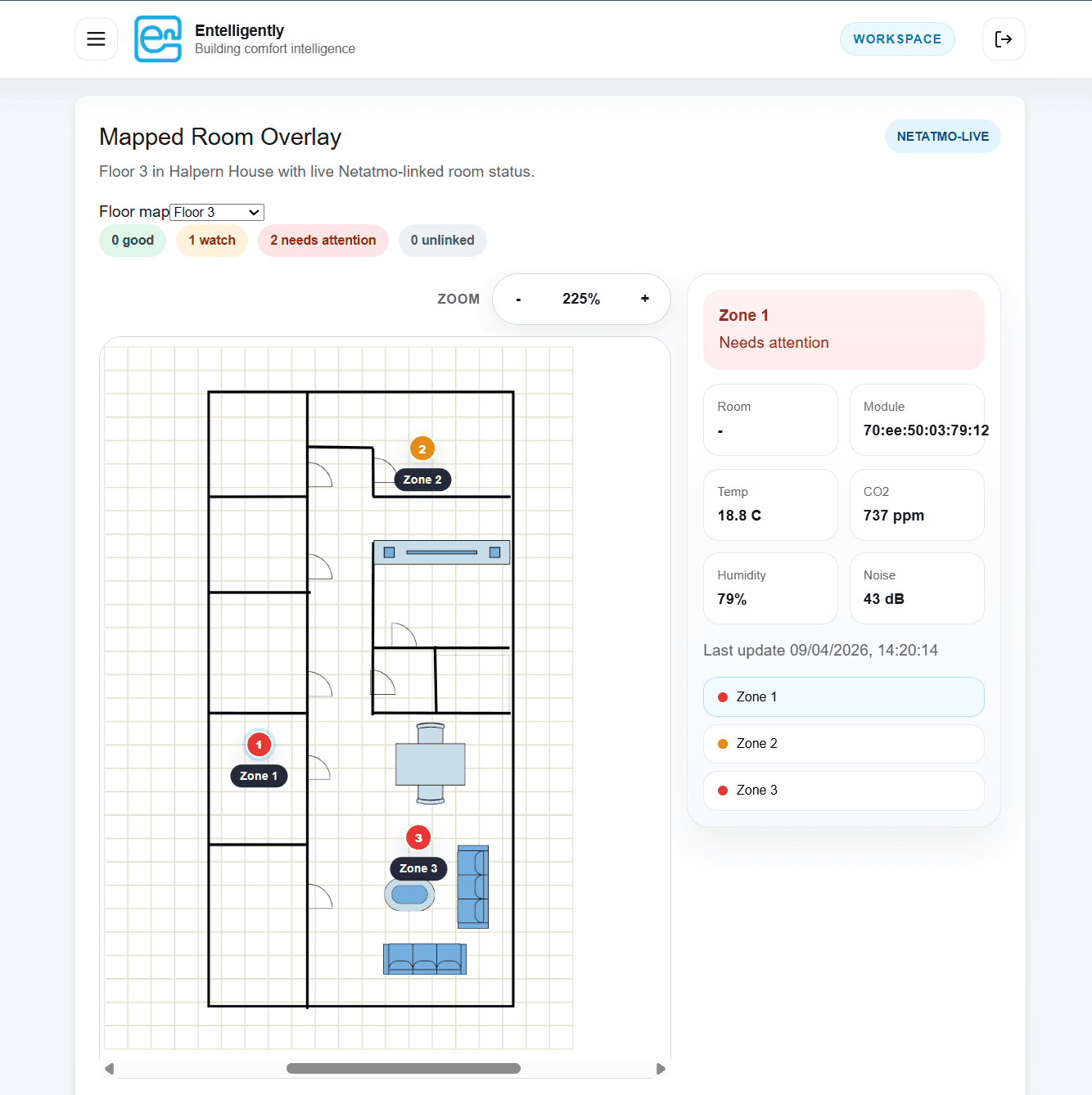
Deployment can include a building or floor name, floor plan, rooms or zones, optional regions of interest, entities associated with locations and comfort feedback associated with location.
Instead of viewing sensors and events only as lists of data, managers can understand them in the context of the real building.
A PRACTICAL EXAMPLE
This is illustrative. Not every deployment follows exactly this workflow.
IMPLEMENTATION SUMMARY
START A CONVERSATION
We can start with the systems and data you already have, identify what would add useful context, and build the deployment from there.
Request a demo